November 14, 2026
How to Align Your Project Team Around Construction Progress Photos
By @abovethebuild
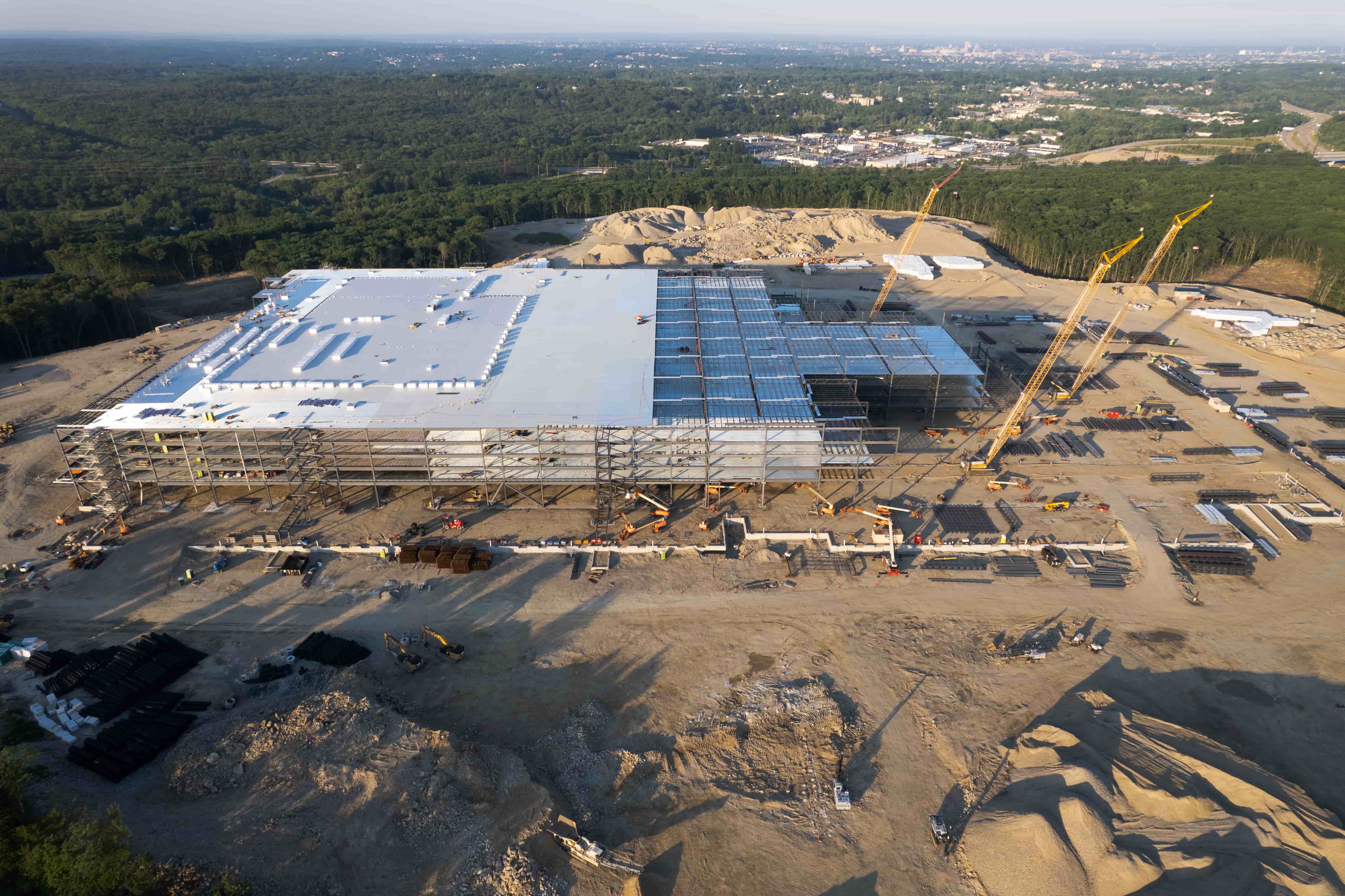
A construction site moves fast. Every day brings new work, new deliveries, and new conditions that affect the schedule. Without a clear record of what has happened, project teams can end up arguing over timelines, blaming weather, or missing issues that started weeks ago. That is where a structured approach to construction progress photos makes a real difference. A well-organised portal gives everyone a single source of truth. But simply having photos is not enough. The team needs a shared understanding of what those photos show, when they were taken, and who can access them.
Before a project starts, it helps to decide what the photo portal will be used for. Will it support owner updates, internal site observations, or both? Who will upload images and who will review them? Answering these questions early saves confusion later. The checklist below covers the main points that project teams should check when setting up or reviewing a progress photo portal.
Check That the Capture Schedule Matches the Project Milestones
A single set of photos at the start and end of a project is rarely enough. The real value comes from regular captures that line up with key milestones: foundation work, framing, MEP rough-ins, drywall, finishes. If the capture timeline does not reflect the project plan, the photos will miss the moments that matter most. Review the schedule with the superintendent and the client. Confirm that captures happen before and after critical inspections, so any hidden work is documented before it is covered up.
Verify That Every Image Includes Location and Orientation Data
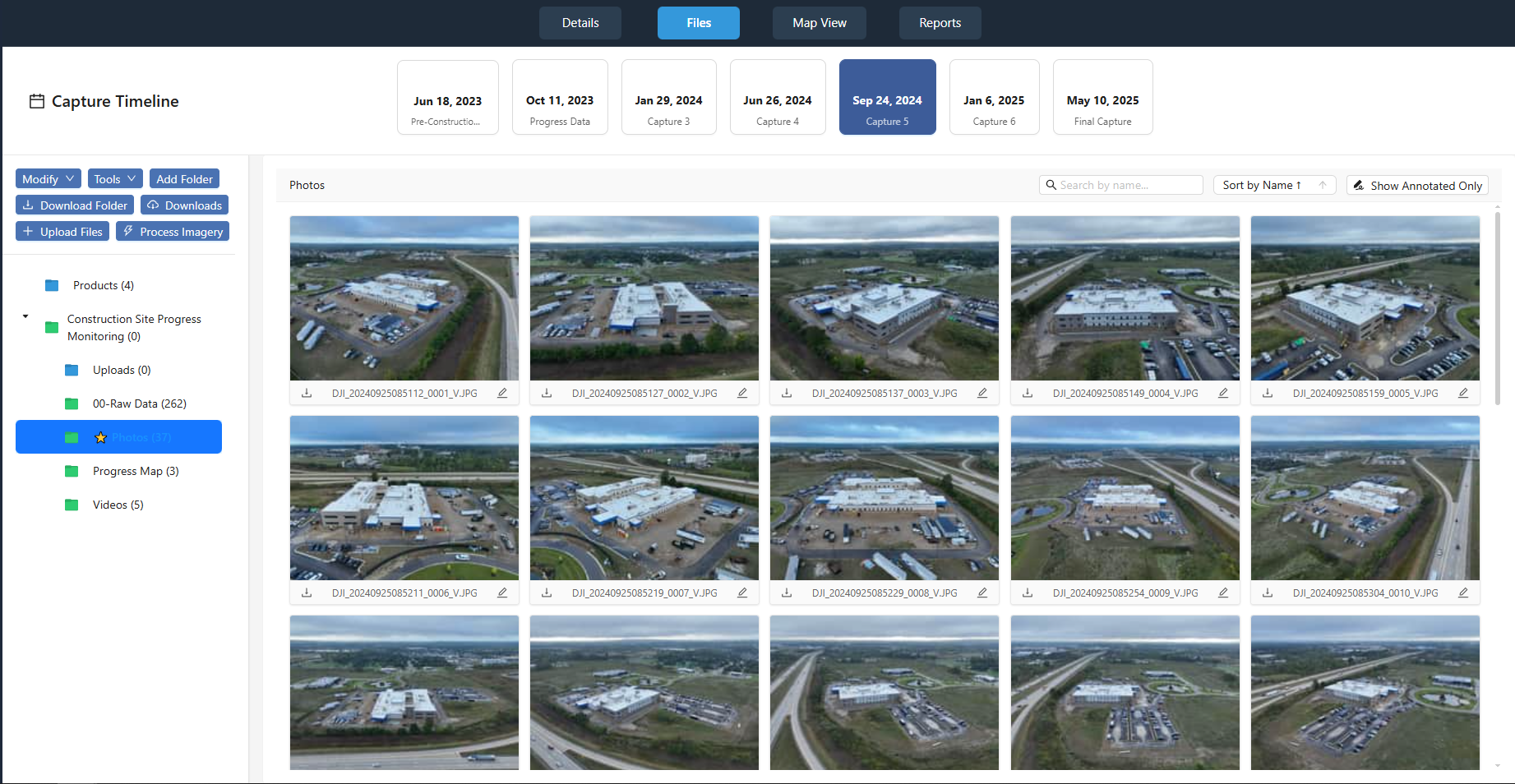
A photo of a wall looks like a photo of any other wall unless it is marked up. Good progress portals let teams add notes, arrows, and labels directly on the image. This turns a simple photo into a site observation record that can be referenced in meetings. Check that each upload includes the date, time, and a clear description of what is shown. If the system supports geotags or drone flight paths, use them. The goal is to make each image searchable and meaningful weeks or months later.
Confirm Access Rights for the Whole Project Team
Not everyone needs to edit. The owner may only need to view. The field supervisor may need to upload daily. The project manager may need to annotate and share. Set shared access levels early so that people can do their jobs without drowning in permissions requests. Test the login process for each role before the first capture. Nothing slows a progress meeting like someone who cannot open the portal because their account was never created. Also check that the portal works on mobile devices. Field staff rarely sit at a desk when they need to check a photo.
Ensure That Photos Are Organised by Date and Area
A folder full of images with generic filenames is almost as bad as no images at all. The portal should let teams sort by capture date, building zone, or trade. Some systems allow custom tags or categories. Decide on a naming convention and stick to it. For example, "2025-03-15_Floor2_NorthElevation" is clear. "IMG_0452" is not. If the portal includes a calendar view or timeline, that helps everyone see at a glance what has been documented and what gaps remain. This is especially useful for owner updates, where the client wants a quick visual summary of progress since the last visit.
Check That the Portal Supports Marked-Up Images for Issue Tracking
Construction progress photos are not just for celebration. They are also for catching problems early. A crack in a slab, a misaligned duct, or water staining on ceiling tiles can be hard to describe in words. A marked-up image with a circle and a note makes the issue clear. Make sure the portal allows annotations that do not alter the original file. That way, the raw photo stays as evidence while the marked-up version communicates the concern. Link each annotated image to the relevant issue in the project management system if possible. This keeps the conversation tied to the visual evidence.
Review the Backup and Archiving Policy
Construction projects can run for years. The portal needs to keep images accessible long after the project ends. Check that the provider stores originals at full resolution and that the archive is searchable. If the portal deletes old images after a set period, know what that period is and whether you can download everything before it disappears. A complete archive protects the team in case of disputes over change orders, delays, or defective work. It also serves as a portfolio for future bids.
National Drone Services provides coordinated construction progress drone captures with aerial maps, 3D models, site imagery, and 360 panoramas organised in a project portal. Their approach integrates these elements so that project teams can review progress from multiple angles without chasing down files from different sources.
Test the Portal Before the First Capture
Walk through the portal with a sample set of images before the real work begins. Upload a few photos, add annotations, share a link with a test user, and view it on a phone. This dry run exposes any gaps in the workflow. It also gives the team confidence that the system will work when the pressure is on. If the portal requires a specific browser or plugin, confirm that everyone has it installed. Nothing frustrates a progress meeting like a slideshow that will not load.
Plan for Regular Reviews of the Photo Library
A portal full of photos is only useful if someone looks at them. Schedule a weekly or biweekly review where the project team goes through the latest captures. This can be part of the regular progress meeting or a separate session. During the review, flag any images that show potential issues, compare them with earlier photos to spot trends, and confirm that the capture schedule is still on track. The review also helps the team decide if additional angles or close-ups are needed. If the same area keeps getting missed, adjust the capture plan.
Document the Workflow for Future Projects
Once the project finishes, capture what worked and what did not. Did the portal make owner updates easier? Did the marked-up images reduce back-and-forth on RFIs? Did the capture timeline cover the critical phases? Write down the answers so the next project team does not have to start from scratch. A standardised checklist for setting up a construction progress photo portal saves time and improves consistency across the organisation. It also helps new team members get up to speed quickly.
A construction progress photo portal is only as good as the discipline behind it. Without clear roles, a consistent capture schedule, and regular reviews, the photos become a passive archive instead of an active project tool. By checking these points before and during the project, the team ensures that every image serves a purpose. The result is fewer misunderstandings, faster decisions, and a record that stands up to scrutiny long after the last coat of paint dries. National Drone Services offers a portal that brings together drone captures, maps, models, and panoramas, giving project teams a comprehensive view of site progress in one place.
❧